Clever Logger Gateway
Clever Logger Gateway
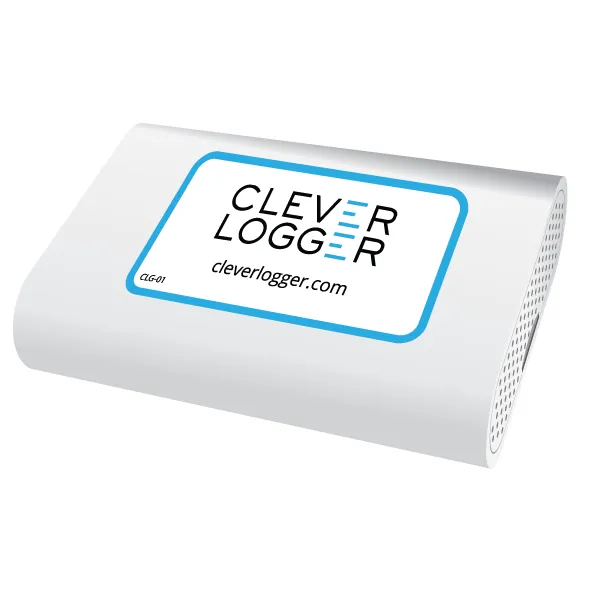
The Gateway is the link between your loggers and the internet.
Every Clever Logger setup requires at least one gateway.
Traditional loggers have to be manually downloaded to get their data.
Clever Logger changes that. The loggers broadcast their temperatures and the gateway picks them up and saves them to the internet every few minutes.
This gives you a “live” log of temperatures available on any internet device (computer, tablet, phone), anywhere in the world on the Clever Logger web site.
The website also gives you immediate alerts about problems and automatic reports to your email inbox.
Connecting to the Internet
Easily connect the gateway to your local network with an Ethernet cable (as shown), or with Wi‑Fi.
Manage everything through the Clever Logger dashboard
Use any internet device (PC, Mac, tablet, phone) to log into the Clever Logger dashboard. On the dashboard you can add gateways, configure your loggers, set up your reports and view live temperature data.
Get data on the go
Install the free Clever Logger app on your phone and manage everything from wherever you are. You can even get temperature alerts sent straight to your phone!
A single gateway can talk to multiple loggers at once, so even if you have more than one fridge, you may only need one gateway.
Loggers and gateways communicate with each other wirelessly and there is a limit to how far apart they can be. If your loggers are a long way away from each other, you may need to have more than one gateway.
As a general rule, if the loggers are all in the same room, a single gateway will communicate with all of them.
Product Information
Product Information
Shipping & Returns
Shipping & Returns
Description
Clever Logger Gateway
The Gateway is the link between your loggers and the internet.
Every Clever Logger setup requires at least one gateway.
Traditional loggers have to be manually downloaded to get their data.
Clever Logger changes that. The loggers broadcast their temperatures and the gateway picks them up and saves them to the internet every few minutes.
This gives you a “live” log of temperatures available on any internet device (computer, tablet, phone), anywhere in the world on the Clever Logger web site.
The website also gives you immediate alerts about problems and automatic reports to your email inbox.
Connecting to the Internet
Easily connect the gateway to your local network with an Ethernet cable (as shown), or with Wi‑Fi.
Manage everything through the Clever Logger dashboard
Use any internet device (PC, Mac, tablet, phone) to log into the Clever Logger dashboard. On the dashboard you can add gateways, configure your loggers, set up your reports and view live temperature data.
Get data on the go
Install the free Clever Logger app on your phone and manage everything from wherever you are. You can even get temperature alerts sent straight to your phone!
A single gateway can talk to multiple loggers at once, so even if you have more than one fridge, you may only need one gateway.
Loggers and gateways communicate with each other wirelessly and there is a limit to how far apart they can be. If your loggers are a long way away from each other, you may need to have more than one gateway.
As a general rule, if the loggers are all in the same room, a single gateway will communicate with all of them.